





CAT Exam Calculator 2026: How the On-Screen Tool Actually Works
Every year a fresh batch of aspirants asks the same question in the last few months before CAT: what exactly is the CAT exam calculator, and will it slow you down more than it helps? Here’s a clear-eyed look at what the tool does, what it doesn’t, and how much you should actually rely on it.
- What Is the CAT Exam Calculator?
- How to Open and Use It During the Exam
- Is a Physical Calculator Allowed, or Only the CAT Exam Calculator?
- What the CAT Exam Calculator Can (and Can’t) Do
- How the CAT Exam Calculator Has Changed Over the Years
- Does It Actually Save You Time?
- How to Reduce Your Dependence on It
- Common Mistakes Candidates Make
- Frequently Asked Questions
1. What Is the CAT Exam Calculator?
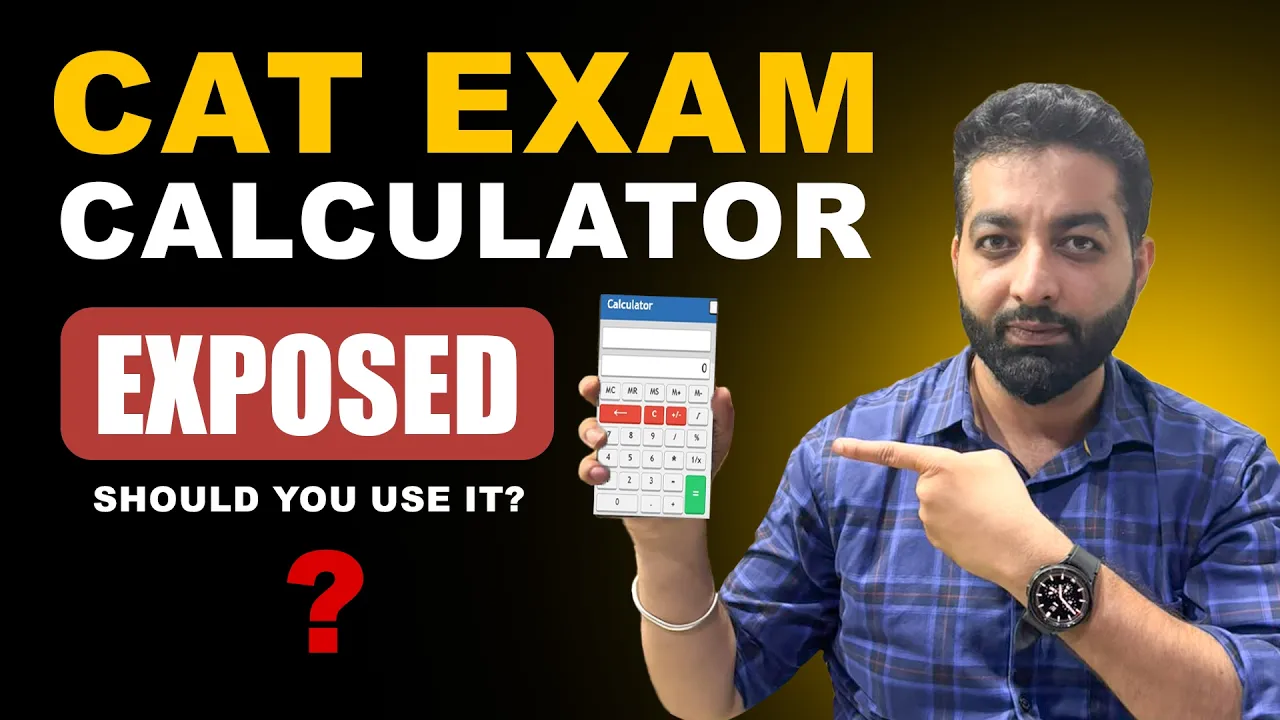
The CAT exam calculator is a small on-screen utility built directly into the test-taking software used for the Common Admission Test. It sits in a corner of the exam interface as a clickable icon, and opening it brings up a compact calculator layout — visually similar to the default calculator app on any Windows PC — that you operate entirely with your mouse pointer.
It exists for one narrow purpose: to reduce careless arithmetic slips on questions where a candidate already knows the method but might fumble a multiplication or a long division under time pressure. It was never designed to replace mental math or to solve a problem for you — it only executes the basic operation you feed into it.
2. How to Open and Use It During the Exam
Using the on-screen tool is straightforward. During any section, you’ll see a small calculator icon on the test screen. Clicking it opens the calculator as a floating window that you can reposition if it overlaps the question text. You then click the number and operator buttons with your mouse, exactly as you would on a physical device — there’s no keyboard shortcut, so every entry is a deliberate click.
Because CAT is timed section-wise (roughly 40 minutes per section, with no ability to switch between sections once you move on), the calculator is available throughout your current section but resets the moment the section ends. There’s no persistent history across sections, so if you need a number again in the next section, you’ll have to recalculate or note it down on your rough sheet.
3. Is a Physical Calculator Allowed, or Only the CAT Exam Calculator?
No physical calculator — basic, scientific, or otherwise — is permitted inside the CAT exam hall under any circumstances. Candidates are checked at entry, and carrying one in is treated as a violation of exam instructions, which can lead to disqualification. The only calculator you will ever touch during CAT is the on-screen version built into the test software. For the latest official word on permitted items and exam-day conduct, always cross-check the official CAT portal rather than relying on any third-party summary.
What you are given instead is a blank sheet (or laminated sheet with a marker, depending on the test centre) for rough work — useful for setting up long calculations by hand before you decide whether the on-screen calculator is even worth opening for that particular step.
A Mistake to Avoid
Don’t assume you can bring in any device “just in case.” Smartwatches, calculator wristwatches, and calculator-enabled phones are all barred along with standalone calculators. Leave anything electronic other than what the invigilator explicitly permits at home or in your bag outside the exam hall.
4. What the CAT Exam Calculator Can (and Can’t) Do
The functions available on the tool are deliberately limited. Here’s the full list of what you can perform:
- Addition
- Subtraction
- Multiplication
- Division
- Square root
- Reciprocal (1/x)
That’s it. There is no button for logarithms, trigonometric ratios, exponents, percentages as a dedicated function, or memory storage across calculations. If a Quant question requires you to compute something like log₂(64) or sin 30°, the on-screen calculator will not do that step for you — you’ll need to know the underlying formula or approximation technique and reduce it to basic arithmetic before the calculator becomes useful at all.
Table 1 — Functions available vs. not available on the CAT exam calculator
| Available | Not Available |
|---|---|
| Addition, subtraction, multiplication, division | Logarithms |
| Square root | Trigonometric functions (sin, cos, tan) |
| Reciprocal (1/x) | Exponents / powers |
| Basic decimal operations | Memory recall across sections |
5. How the CAT Exam Calculator Has Changed Over the Years
The current bare-bones version isn’t how things have always worked. In the years before CAT moved fully online in its present computer-based format, the on-screen calculator briefly included scientific functions — logarithms and trigonometric operations among them — because the exam pattern at the time leaned more heavily on questions that needed them. Once the syllabus and question design shifted toward a format where most calculations can be reduced to basic arithmetic with smart approximation, the tool was pared down to just the six functions listed above, and it has stayed that way in every recent edition, including what’s expected for CAT 2026.
This matters for your prep strategy: any coaching material, PDF, or old-syllabus reference that talks about “using log tables on the calculator” or similar is describing an outdated version of the interface, not the one you’ll actually face.
6. Does It Actually Save You Time?
Yes and no. For a single multiplication of two large numbers, opening the calculator, clicking through the digits with a mouse, and reading the result can sometimes take longer than a well-practised mental shortcut would. Where the tool genuinely earns its place is in reducing errors on multi-step calculations — the kind where one wrong digit three steps in ruins the whole answer — and in double-checking a value you’ve already estimated roughly by hand.
Treat the CAT exam calculator as a verification tool, not a primary problem-solving tool. Solve the logic and set up the calculation in your head or on the rough sheet first; use the on-screen calculator only for the final arithmetic step where a slip would actually cost you the question.
Key Takeaway
The CAT exam calculator is there to catch arithmetic slips, not to replace speed. Candidates who lean on it for every small computation often lose more time clicking through mouse-driven digits than they would spend on a two-second mental estimate.
7. How to Reduce Your Dependence on It
The candidates who handle Quant sections most comfortably are usually the ones who need the on-screen calculator the least. A few habits build that comfort well before exam day:
- Memorise squares up to 30, cubes up to 20, and tables up to 20 — this alone removes a large share of calculator clicks.
- Practise approximation techniques so you can eliminate answer options without computing an exact value.
- Work through percentage-to-fraction conversions (12.5% = 1/8, and so on) until they’re instant recall.
- Time yourself on mock tests with the calculator restricted to genuinely tough multiplications only, to build the discipline of reaching for it selectively.
None of this means avoiding the tool altogether — it means using it as a backup rather than a crutch, which is exactly how it behaves best under real exam-hall time pressure.
8. Common Mistakes Candidates Make
A few patterns show up repeatedly among test-takers who feel the calculator “let them down” on exam day:
- Opening it for calculations they could have estimated in a few seconds, burning time across the section.
- Expecting it to have scientific functions and freezing when a question seems to demand one — almost always, the question can be solved with basic arithmetic instead.
- Misclicking digits under pressure and not double-checking the displayed number before hitting the operator key.
- Never having practised with it on full-length mocks, so the mouse-driven interface feels unfamiliar on the actual exam day.
Every full-length mock you attempt should use an interface that mirrors the real CAT exam calculator as closely as possible — this is the only way to know, ahead of time, exactly how much clicking a given calculation will cost you.
Practice With a Real CAT-Style Interface
Quantifiers CAT Academy’s Sangharsh Crash Course includes full-length sectional mocks built to mirror the actual CAT exam calculator and screen layout, so test-day friction never costs you a question.
Frequently Asked Questions
Is an on-screen calculator provided in the CAT exam?
Yes. The CAT exam calculator is built into the test interface and is available throughout each section — you open it by clicking an icon on screen and operate it with your mouse.
Can I bring my own physical calculator to the CAT exam?
No. Physical calculators of any kind, along with calculator watches and smartphones, are not allowed inside the exam hall. The CAT exam calculator on your screen is the only one you’ll have access to.
Does the CAT exam calculator support scientific functions like log or trigonometry?
No. It only supports addition, subtraction, multiplication, division, square root, and reciprocal. Any question requiring logs or trig ratios is designed to be solvable with basic arithmetic and approximation instead.
Has the CAT exam calculator always been this basic?
No. Older editions of CAT briefly offered scientific functions on the on-screen calculator, but the current stripped-down version — limited to basic operations — has been used consistently in recent years, including the interface expected for CAT 2026.
When is CAT 2026 and will the calculator interface change?
CAT 2026 is scheduled for November 29, 2026, conducted by IIM Indore. No change to the on-screen calculator has been officially announced, so it’s expected to function the same way it has in recent editions.